DocuSign
Connect DocuSign to ingest completed envelopes, extract key fields, and run validation checks—without changing your DocuSign setup.
Connect Meshly to DocuSign
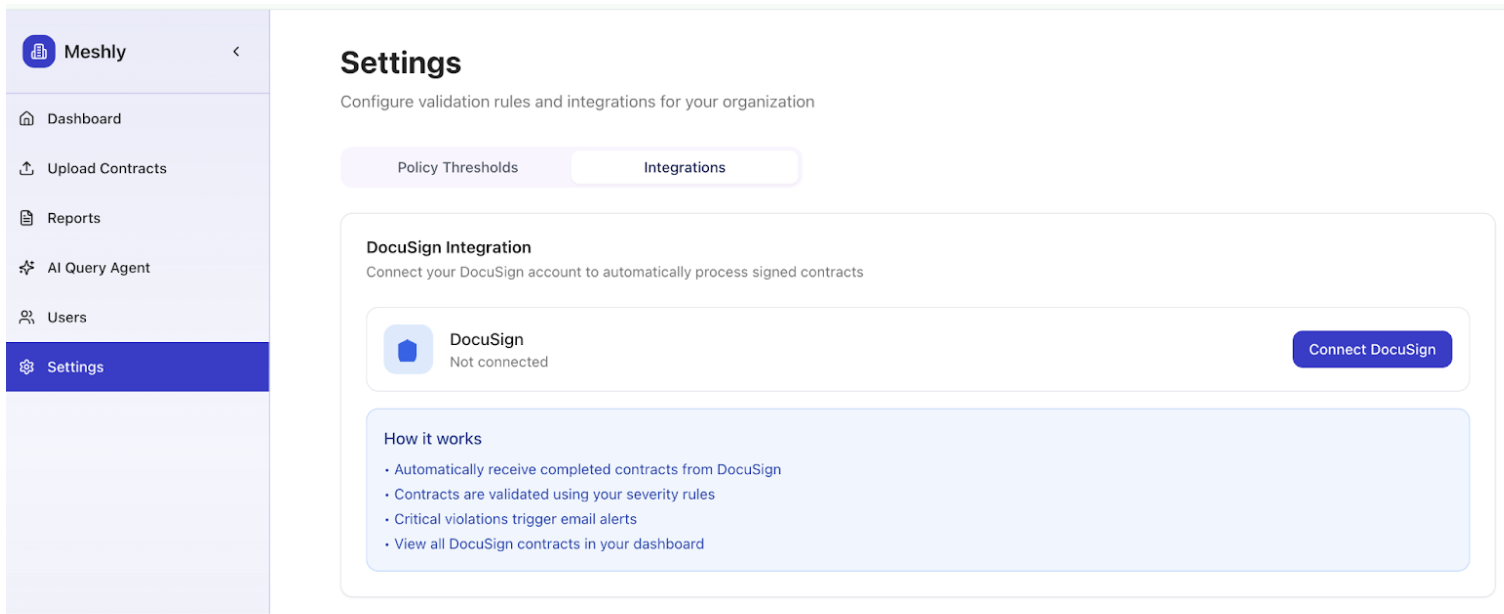
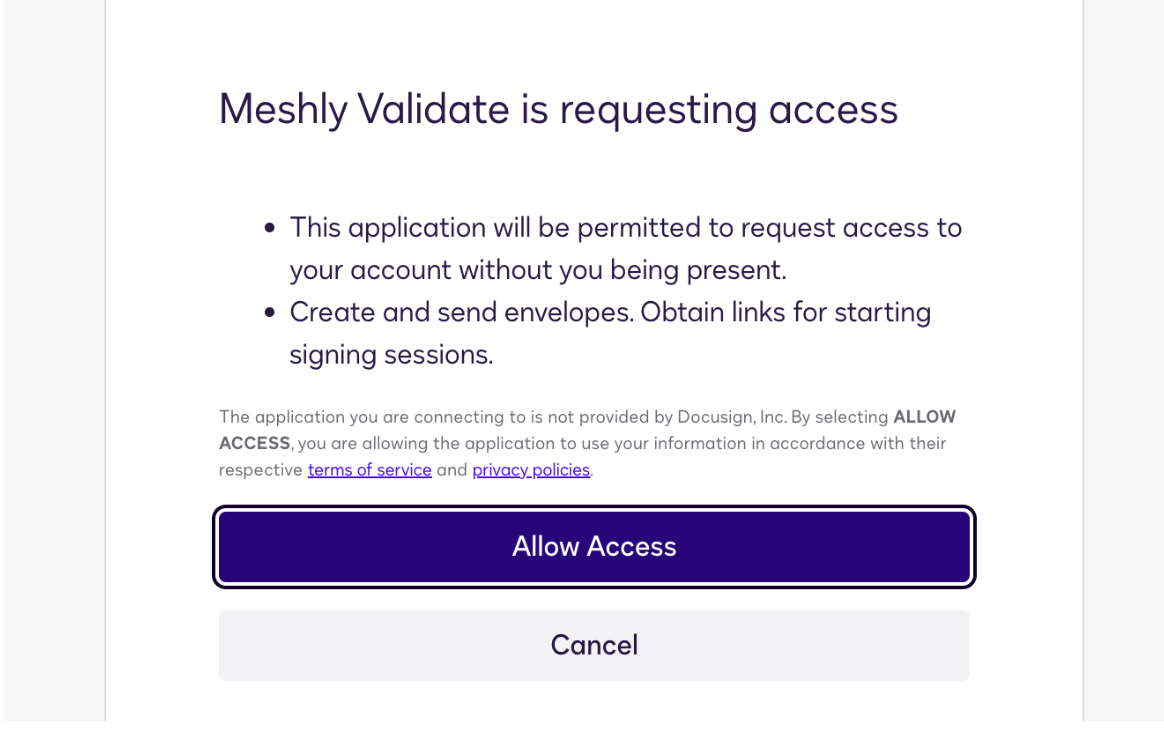
Grant access in Meshly Settings so your team can connect DocuSign. Once your DocuSign admin connects Meshly in the Settings page:
- Meshly ingests every envelope that reaches the completed state.
- Drafts and in-progress envelopes are ignored.
- Each envelope becomes one contract row in Meshly.
- All PDFs are saved securely to your bucket.
- Metadata from the envelope is captured, including: Envelope ID, Subject, Sender email, Completed date, Source (DocuSign or manual upload).
No changes needed in DocuSign
You do not need to reorganize templates or change your DocuSign account. Everything works with your current setup.
How MSAs and SOWs Are Handled
Meshly treats all completed envelopes the same way. Inside Meshly you can filter by document type.
- Order Forms
- MSAs
- SOWs
- NDAs
Focus on executed Order Forms for revenue checks
- Combine two filters: Source = DocuSign and Document Type = Order Forms.
MSAs or SOWs for context
- Include those types as needed in your filters.
What Meshly Checks
Meshly reviews the core fields your team audits today and surfaces anything that needs attention. All results appear in the CSV export.
Payment Terms
- Flags contracts above your threshold. Default is thirty days. Severity follows your settings.
Purchase Order
- Captures the PO number when it appears. Flags missing POs when you turn on the PO Required setting.
Opt Out and Auto Renewal
- Detects cancellation or notice period language. Flags auto renewal when an opt out is missing.
Signatures
- Confirms both parties have signed. Flags any incomplete or missing signatures.
ASC 606
- Checks for required dates and values run in the same pass.
Discounts
- Flags discounts that exceed your thresholds. Info, warning and critical levels are set per org.
Other Key Fields
- Effective date
- End date
- Contract value and ACV
- Unit price
- Implementation fee
- Platform fee
- SLA notes
- Product and license fields
- Tax fields where present
Viewing Contracts and Using the Reports Page
In the Reports view you can filter by: Source, Document type, Date range.
When you export the CSV, you get a complete table with: Envelope ID, Sender, Subject, Processed date, Parsed status (parsed or not parsed), All extracted fields, Policy violations, Severity levels.
This CSV mirrors the type of spreadsheet you use today for post-signature checks.
Contact and Support
If a contract has unexpected flags, missing fields or unusual formatting, send the envelope ID and the PDF. The team will tune the parser for that pattern.
Support: hello@meshly.ai.
You do not need to change anything in DocuSign. Filters inside Meshly allow you to focus on what matters.
Need help? Email hello@meshly.ai